Google Pixel 11 review: A lot of phone for a little more money - Engadget
The Pixel 11 is $100 more than last year and didn't change a ton, but is still one of the best smartphones on the market. ...
The Pixel 11 is $100 more than last year and didn't change a ton, but is still one of the best smartphones on the market.
Nathan Ingraham for Engadget
RATING : 9.2 / 10
- Great performance and battery life
- More base storage this year
- Some of Google’s AI tricks are pretty handy
- Three-camera setup still beats the base iPhone and other comparable Android phones
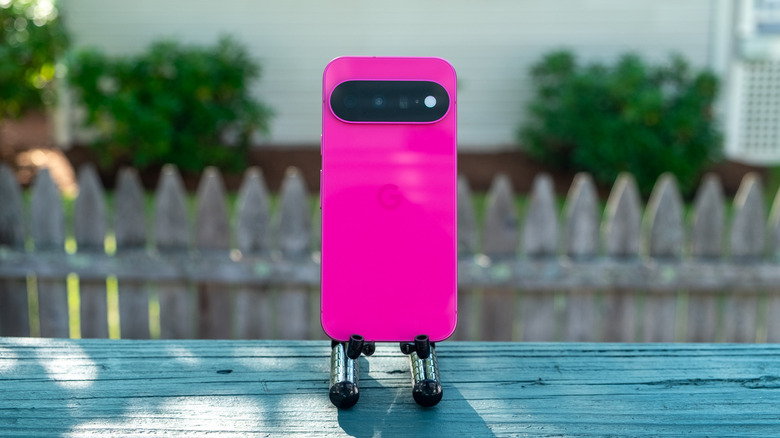
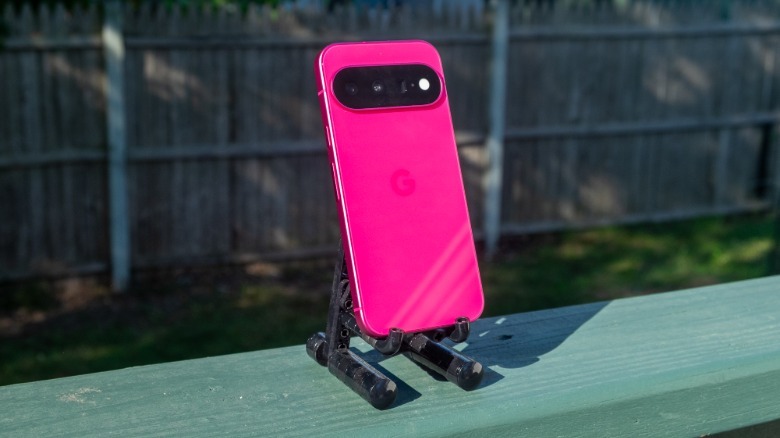
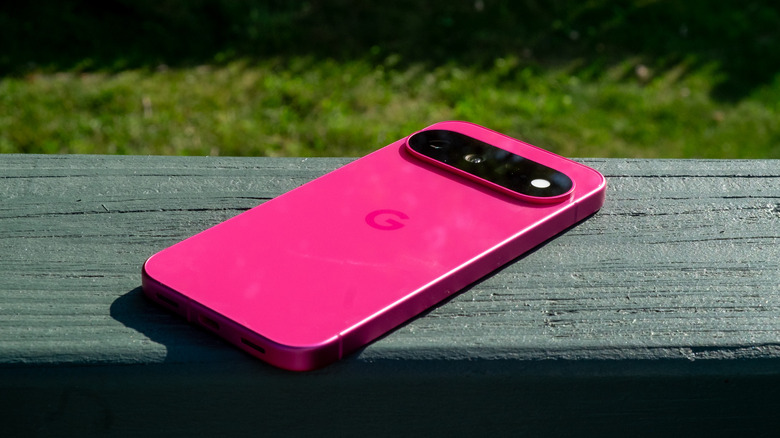
- Just look at that hibiscus colorway
- $100 more expensive than the Pixel 10
- Few significant changes from last year’s model
Last month, Engadget's Slack channel lit up with excitement over a leak of the Pixel 11, which Google officially announced last week. What was telling is that the excitement wasn't over a new hardware feature or software trick — it was about the possibility of a bold magenta color.
There's no way around it: in 2026, phone upgrades are typically iterative, and the Pixel 11 is no different. Last year's Pixel 10, with improved performance and a third camera lens for telephoto shooting, was a genuinely exciting step forward for the base model. The Pixel 11, however, is more of a tentative, meandering shuffle, particularly from a hardware standpoint. There's an updated Tensor G6 processor, more base storage, an improved main camera sensor and a few other tweaks. Oh, and a really nice set of colors.
So, the Pixel 11 isn't the kind of phone that'll entice people to upgrade from the Pixel 10, or any flagship released in the last year or two. But, if you have a Pixel 9 or something even older, the Pixel 11 is an excellent Android phone that'll satisfy most potential buyers — even if, at $899, it is $100 more than last year's model.
Hardware and display
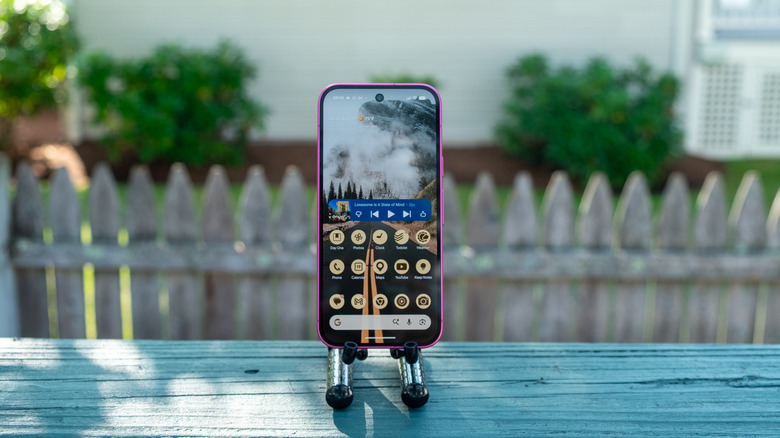
The Pixel 11 isn't wildly different from the Pixel 10, which itself wasn't wildly different from the Pixel 9. It's still dominated by the 6.3-inch "Actua" display, which is identical to the one in last year's phone. It's a lovely and bright screen with a 60-120Hz variable refresh rate with up to 3,000 nits of brightness. The Pixel 11 Pro's screen is brighter, more pixel-dense and can lower its refresh rate all the way down to 1Hz. But for a phone in this price bracket, this thing looks great.
 Nathan Ingraham for Engadget
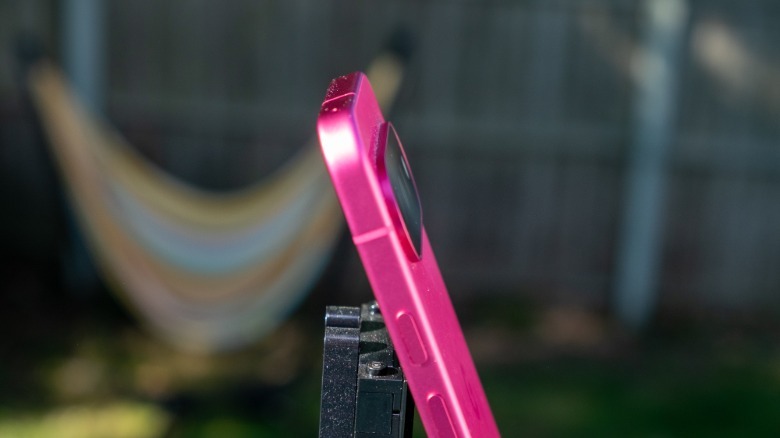
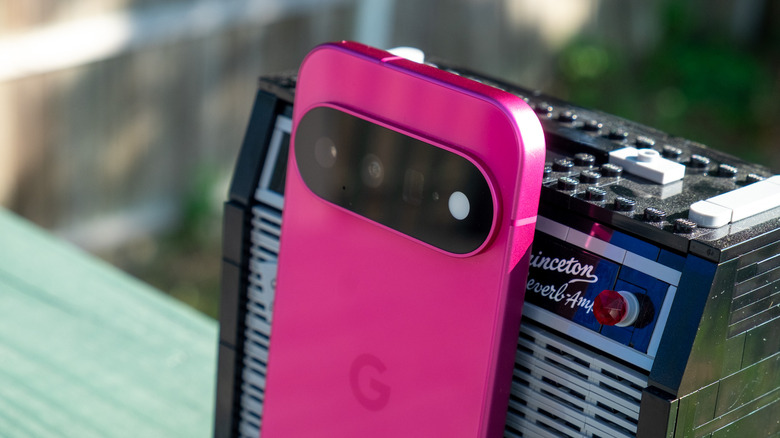
Like prior Pixels, the Pixel 11 has glass on both the front and back, with a metal edge and large camera bar on the back. This time, the camera "pill" doesn't protrude as much from the phone, which makes it feel just a bit more compact. And it's available in four colors again this year: the more staid obsidian and frost (which is a blue-ish silver), a rather distinctive pistachio green and the show-stopping hibiscus. I hope Apple pays attention to the hibiscus shade and brings something equally eye-catching to its offerings, either this fall with the iPhone 18 Pro or next year when the standard iPhone 18 is rumored to arrive.
Camera performance
Nathan Ingraham for Engadget
Google didn't reinvent the three-camera array on the back of the Pixel 11 this year; it's just a slight tweak to the one on the Pixel 10. The 13-megapixel ultra-wide camera (with an f/2.2 aperture) and the 5x, 10.8-megapixel telephoto camera (with an f/3.1 aperture) are identical to last year. The main sensor is still rated at 48 megapixels this year, too, though its sensor is significantly larger this year. The 10.5-megapixel front-facing camera is identical to last year, as well.
Overall, those hardware changes are minimal, but there's still a key new feature here. The Pixel 11 camera can shoot in up to 30x "Super Zoom" mode, up from the 20x you could squeeze out of the Pixel 10. While Google uses AI upscaling, it isn't using generative AI to fill in the gaps here (as it does with the 120x "Pro Zoom" on the Pixel 11 Pro). Instead, the company says it takes multiple images and uses its HDR+ processing to sharpen and fill in the details. (The image below was shot at 30x.)
 Nathan Ingraham for Engadget
In my testing, the results were decent enough, though looking at Super Zoom photos on my laptop screen revealed the lack of detail and sharpness in more detailed areas of the image. But it still yields surprisingly decent images if you keep your expectations in check — the more expensive iPhone 17 Pro at 30X and the Pixel 11 at 30X yielded quite similar results. Just remember that these will likely be quick keepsakes that look fine on your phone screen but don't stand up to closer scrutiny.
But put aside the Super Zoom. It's been a year since Google added that 5x telephoto lens to the Pixel 10, and I'm extremely glad they kept it here on the Pixel 11. The base iPhone 17 doesn't have a telephoto lens at all, while the Galaxy S26 still has to make do with a 3x optical zoom. This is a real differentiator for Google, and it should be a consideration for anyone who considers themselves even a slight photography enthusiast. I personally bought the iPhone 17 Pro (and the 14 Pro before it) largely because I knew I'd use that extra camera lens frequently. And I always feel bad for friends who try to use digital zoom to capture moments with predictably messy results. Sure, the Pixel 11 might be $100 more than it was last year, but its camera system is still a highlight.
 Nathan Ingraham for Engadget
While the camera hardware hasn't changed much, there are a few notable software features as usual. One is Camera Looks, a feature that reminded me of the iPhone's photographic styles. This lets you edit and set a default filter for the camera as well as swipe through several more options, all of which are editable as well. You can tweak contrast, highlights, shadows, color temperature and more and the app remembers those settings between sessions. So if you want to go from a more neutral look as your default to a high-contrast filter with blown-out highlights, you can do so with a tap and swipe.
 Nathan Ingraham for Engadget
Magic Capture is a more significant and quite ambitious mode in the Pixel camera this year. When you have Magic Capture activated, the Pixel 11 records a short video and multiple photos with edits automatically applied to them. Google says this feature is meant to capture fast-moving scenes — on its blog, the company gives the example of someone blowing out birthday candles. It basically works like shooting a video: you start by tapping the shutter button and finish by tapping it again. Then, the phone goes to work, pulling out still images and a video for you in the Google Photos app.
I didn't get to really test Magic Capture in any significant way, as apparently my daily life is too dull for it to really do its thing. But my colleague Sam Rutherford did and found it did a pretty decent job when he was testing the Pixel 11 Pro Fold: "I've found that Magic Capture excels when shooting things like sports or dancing, as the P11PF does a good job of saving dynamic poses without you needing to worry about if you hit the shutter at the exact right time. I just wish the processing time for videos was shorter."
Software and AI tricks
Nathan Ingraham for Engadget
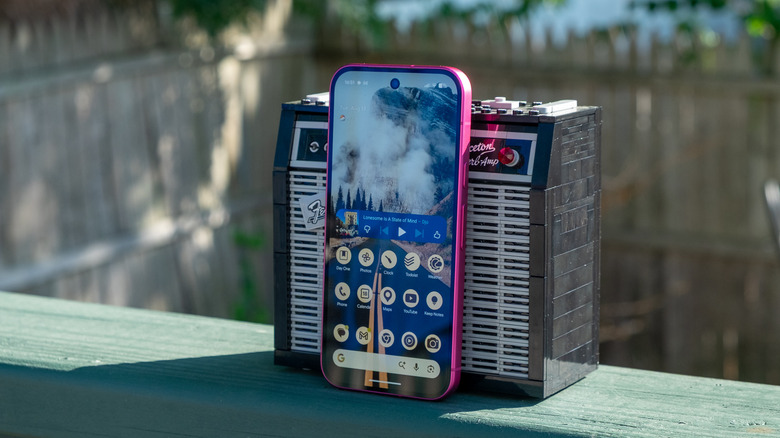
There are more AI-powered software tricks on board the Pixel series this year besides those for the camera. One of those is Rambler, a tool trying to bring natural language processing to anywhere you input text on your phone. When you activate Rambler and start talking, it'll insert your text just like any other voice-to-text service. But, you can do things like make corrections as you go and Rambler is smart enough to realize what to capture and what to omit. If you say "I am going to pick up some tortellini, sorry not tortellini, I mean tortillas," the end result comes out as "I am going to pick up some tortillas." It reminds me of speaking to Gemini or other virtual assistants with natural language instead of feeling like you need to speak every word with perfect precision.
Because Rambler is processing what you say rather than just putting down every word you utter, you won't see the results until you finish speaking. But if the transcription didn't quite nail what you were saying, you can tap the microphone button again and ask it to fix things. In my limited testing, Rambler worked fine as a voice-to-text tool most of the time, and it fixed corrections that I made both on the fly or after the fact pretty consistently as well. I'm not much of a voice texter, but I imagine those who spend a lot of time talking at their phones might enjoy this one.
 Nathan Ingraham for Engadget
More useful to me is Proactive Intelligence, a re-naming and slight expansion of the Magic Cue feature introduced last year. When you're having a conversation in Google Messages, you'll get Gemini-powered suggestions based on the conversation. For example, when a friend asked in a group chat if we wanted to come over for dinner on Wednesday or Thursday this week, a suggestion chip appeared that pulled up the details of my calendar at those times. Following up and saying that Wednesday sounded good brought up a suggestion to create a calendar invite.
When looking at that calendar suggestion, the card that appeared helpfully said I had nothing planned Wednesday evening alongside a button that opened the full day in Google Calendar. Other tests I tried included saying "want to get tacos in Somerville this weekend?" which provided me with suggestions to check my schedule and also to find restaurants in Gemini. Tapping the "find restaurants" suggestion entered a query in Gemini for "find me taco places in Somerville for this weekend." It pulled up a preview of the response without leaving the app, but you can tap into it to go further with Gemini directly.
Apple is doing something similar with Siri AI this year, but so far the only real times I've noticed that pop up have been when people ask me to do something specific — it'll offer the option to create a reminder or a note about whatever the ask is. Google's implementation seems a lot more full-featured at this point in time. As someone who can get distracted easily and is pretty reliant on my calendar and to-do list, being able to easily link things in messages to other apps is one of the best features I tried on the Pixel 11.
Performance / battery
Nathan Ingraham for Engadget
Powering all this is Google's latest Tensor G6 chip, which has an upgraded image signal processor (ISP) that handles all of the Pixel's computational photography tricks like the 30x Super Zoom. Google also says that the upgraded Tensor Processing Unit is 50 percent faster than the G5; this helps power the on-device Gemini Nano model for handling tasks like the aforementioned Proactive Intelligence features.
The Tensor G6 is combined with 12GB of RAM (same as on the Pixel 10) and either 256GB or 512GB of storage. That's the same RAM as last year's model, but at least Google doubled the base storage along with the price bump this year.
In practice, the Pixel 11 is fast, fluid and kept up with everything that I wanted to do, not that my needs are terribly demanding. But for a non-pro phone, the Pixel 11 felt more than powerful enough. The battery was similarly solid, as well. I didn't have time to do our standard battery test and will update this review with more details — but in the meantime, here are some anecdotes. Most days I was using the phone I didn't get below 50 percent, and over the weekend I went from Saturday morning around 8AM until 7PM on Sunday without a charge. Battery saver kicked on below 20 percent, but I didn't need to use the extreme battery saver or baby the phone at all. My routine typically consists of plenty of messaging, streaming music, using Chrome, frying my brain with various social media apps, taking photos and occasional navigation. Getting nearly two full days between charges is more than enough to keep me happy.
Wrap up
Nathan Ingraham for Engadget
I haven't used an Android phone full-time for a few years, and I really enjoyed my time with the Pixel 11. Many of the AI-powered features Google has developed here feel genuinely useful — I don't care about making images with Nano Banana, but anything that helps me organize and stay on top of my chaotic life is welcome. Photography remains a strength and I hope Apple feels some pressure to add a third lens to the basic iPhone 18. And I'm still taken by the hibiscus shade.
The only real downside to the Pixel 11 is that it's quite the iterative upgrade. But, we're long past the time where most people will see notable benefits upgrading their phone every year, especially given the financial impacts of RAMageddon. If you're coming from a Pixel older than last year's model, the Pixel 11 will represent a significant upgrade. And if you want to switch away from the iPhone for whatever reason, I can't think of a better first Android experience than what you'll get with the Pixel 11.